

Skyscanner
Up to 4.2% Cashback
Flights
$6.30
Hotels
4.2%
Car Rental
3.5%
Take note
- Cashback only applies to Hotel bookings made via Agoda, Trip.com, Expedia
- Cashback only applies to Car rental services booked via VIPCars, Holiday Autos, Discover Cars, and Rental Cars.
- Cashback is capped at a maximum of 1,000.00 AUD per transaction.
Cashback timeline
Purchase
Tracked in
7 days
Confirmed in
90 days after your trip
Terms and exclusions
Refunds, cancellations and no-shows
- No-shows and any booking changes that lead to a change in the booking ID will not be eligible for Cashback.
- We can only track your Cashback if you show up for your booking.
Tracking disclaimers
- Your Cashback may be tracked at a different rate initially and adjusted to the correct rate when we confirm the transaction details.
- Exchange rates may cause small changes to your purchase total and Cashback from some foreign stores.
Other terms and conditions
Skyscanner terms and conditions
- The Cashback payment you are entitled to can only be tracked by Shopback if Skyscanner can track your purchase that originated from the Cashback site.
- Cashback will only be applied to consumed hotel bookings, e.g. where the booking is used and not cancelled. Any booking not consumed (i.e. cancelled) will not be eligible for Cashback.
- Any modifications to your booking cost will modify the quantity of the Cashback amount. Hotel bookings must be consumed within 2 years of the booking date.
- Hotel purchases must be completed immediately within the same session without you exiting your internet browser. If you exit your browser prior to completing the transaction, the hotel booking may not be eligible for Cashback.
- Hotel purchases must be done via the link provided on this page. Otherwise, your hotel booking will not be eligible for Cashback.
- Skyscanner reserves all rights to take action (including legal action) as is considered necessary in its sole discretion in order to prevent or redress any fraudulent or otherwise unlawful use of its website.
- Cashback is not paid by Skyscanner. If you have any queries regarding Cashback or payments, please contact Shopback Customer Support directly and not Skyscanner.
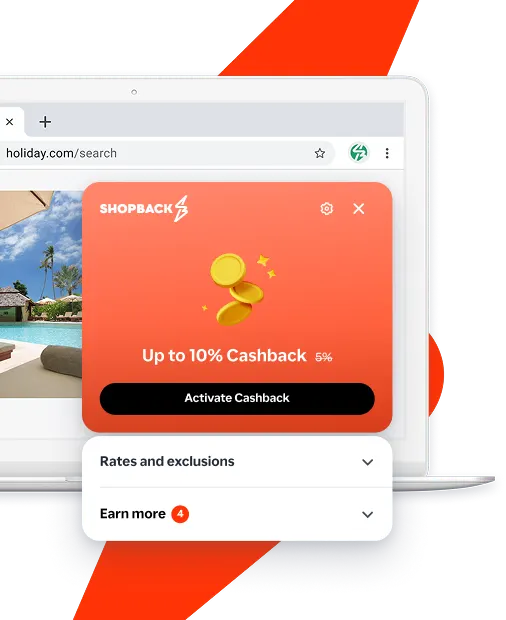
Never miss Cashback on Skyscanner
Get instant alerts on Cashback when you shop online with the ShopBack extension.
Cashback tips
Check carefully for Cashback exclusions and caps before you buy or book to avoid disappointment. Don't forget the terms and conditions on any promotion and campaign pages.
Complete your shopping in one go: Always start from this platform to visit the store directly, for every new transaction. If your store visit is interrupted by an app update or download screen, restart your shopping from our platform.
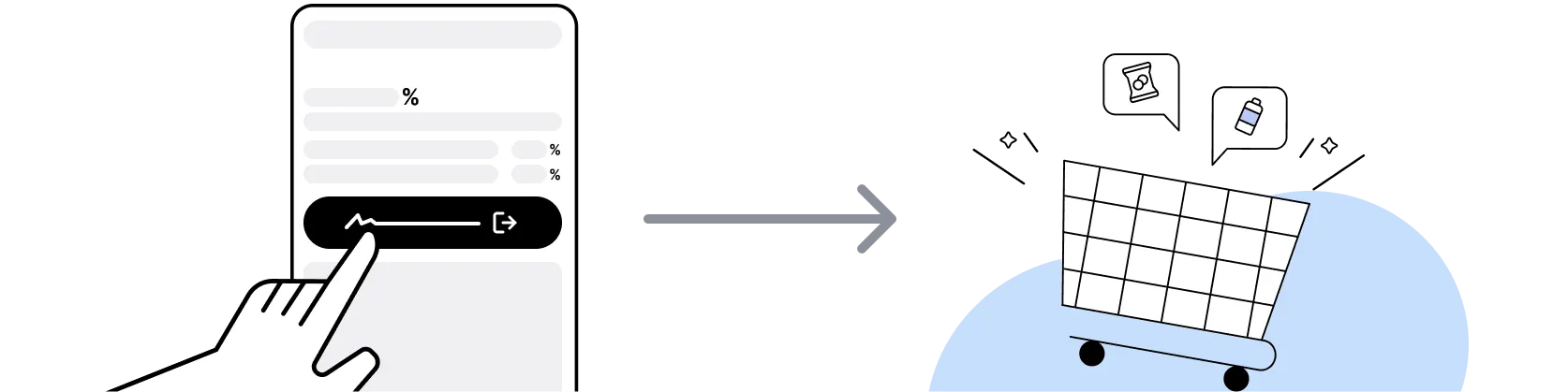
Don't click on any third party links or extensions or use VPN or adblocking software, as they could result in your Cashback not being tracked. Some examples include: Facebook ads, Google Ads, other loyalty or cashback extension links.

For Skyscanner, you need to clear your cart, close the Skyscanner app, open this platform to visit the Skyscanner app or website and complete your purchase there in order to earn Cashback. You need to do this for each purchase.
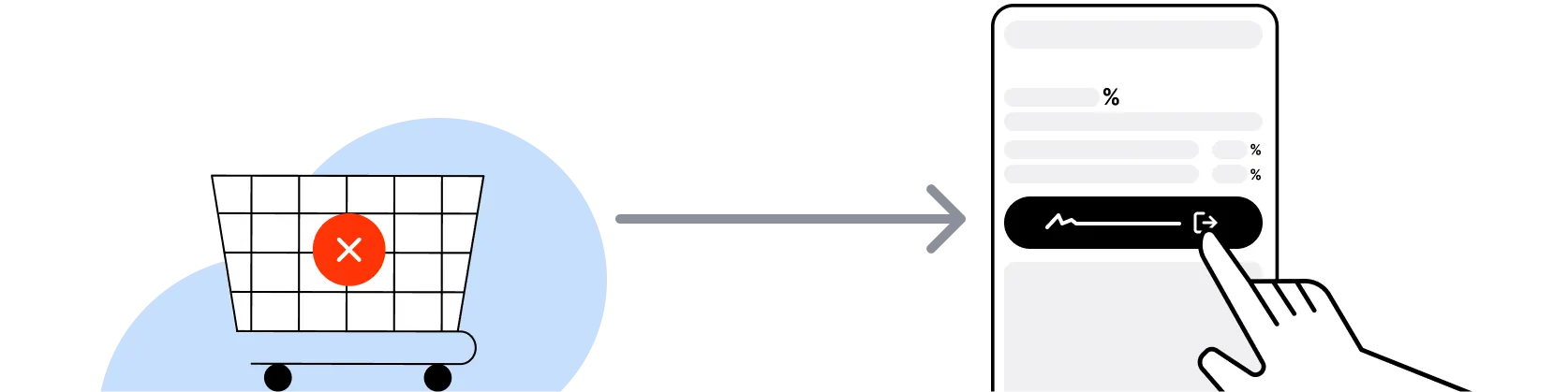
If you encounter payment errors during your purchase, you should restart your visit to the Skyscanner from this platform to ensure that your Cashback continues to be tracked.
Skyscanner can only confirm to us that a transaction is recorded if you accept all cookies that appear on their pages.
Shop and earn at similar stores
Skyscanner Australia on ShopBack
How do I get a discount on Skyscanner?
Apply the best Skyscanner promo code or card offer you qualify for, then go through ShopBack before you pay, where ShopBack Cashback works like a discount on the same order, only easier than a promo code. There is nothing to find or type, it does not use up your one Skyscanner promo code, and it still lowers the price when no code is running. Part of what you pay comes back as Cashback: check the rate shown on ShopBack's Skyscanner page before you buy.
What is Skyscanner Australia
Skyscanner is a travel meta-search platform covering flights, hotels and car hire, part of Trip.com Group since 2016, so compare there, then book hotels or car hire through ShopBack before you pay, where ShopBack Cashback works like a discount, only easier than a promo code. For Australian travellers, Skyscanner compares prices across airlines and online travel agencies (Trip.com, Agoda, Expedia, Booking.com, Wotif, Kiwi.com and others) and routes the traveller to the chosen provider for the final booking. Flight search does not book directly on Skyscanner; the traveller completes payment on the airline or partner OTA. Hotels and car hire can be booked via the Skyscanner tracked path where eligible. Route through ShopBack Australia before opening Skyscanner so hotel or car hire cashback can attribute at the current published rate on shopback.com.au/skyscanner.
How to use Skyscanner Everywhere search from Australia
Everywhere search lets a traveller enter Sydney, Melbourne, Brisbane, Perth or Adelaide as the origin and Everywhere as the destination, returning a country-level list of cheapest fares in the chosen month. It is the fastest tool for open-ended exploration when the destination is flexible: pick a month, sort by price, drill down to city-level results, then compare specific dates on the Cheapest Month calendar. Bali, Fiji, New Zealand, Japan and Singapore typically surface near the top of Everywhere from Australian origins on cheap-fare months. Combine with price alerts on a shortlisted route to catch airline seat sales. Activate ShopBack Australia before clicking through to Skyscanner so any downstream hotel or car hire booking through the Skyscanner path can track.
What is Skyscanner Cheapest Month
Cheapest Month is Skyscanner's price-calendar view for a specific route, showing the lowest fare found for each month of the year. For flexible AU travellers on routes like Sydney to Tokyo, Melbourne to Bali, Brisbane to Fiji, Perth to Singapore or Sydney to Los Angeles, Cheapest Month typically surfaces shoulder-season fares (late Feb to early Apr for North Asia, May and June for Bali, Feb and Nov for Europe) below peak periods. Combine with the Whole Month calendar view to pick specific cheapest dates. Verify the fare on the airline or OTA site before locking; meta-search prices update on a delay and can shift on click-through.
How Skyscanner price alerts work
Price alerts on Skyscanner track a specific route and date pair and send email or push notifications when the fare moves. For AU travellers watching a peak-season route (Japan cherry blossom late March to early April, Bali dry season May to September, European summer, Christmas and school holidays), setting alerts 10 to 16 weeks before travel typically catches airline seat-sale windows from Qantas, Virgin Australia, Jetstar, Rex, Singapore Airlines and Emirates. Alerts do not lock the price; act on them same-day since airline sale windows are usually short.
Best booking window on Skyscanner from Australia
For AU travellers, the typical sweet spot on North Asia routes (Tokyo, Osaka, Seoul, Taipei, Hong Kong) is 10 to 16 weeks before travel, with cherry blossom and autumn foliage peaks benefiting from 16 to 20 weeks lead time. Short-haul Pacific and Southeast Asia routes (Bali, Fiji, Singapore, Bangkok, Auckland, Queenstown) usually price well 4 to 10 weeks out. Long-haul Europe and USA often reward 14 to 22 weeks lead time. Domestic routes (Sydney to Melbourne, Brisbane to Cairns, Perth to Adelaide) price well 2 to 6 weeks ahead outside school holiday windows. Use Cheapest Month first to pick the window, price alerts to monitor, and book same-day when an airline seat sale drops. Hotel and car hire booked via the Skyscanner tracked path can earn cashback on shopback.com.au/skyscanner.
Using Skyscanner for domestic Australian flights
Skyscanner compares domestic Australian carriers Qantas, Virgin Australia, Jetstar and Rex on trunk and regional routes (Sydney to Melbourne, Brisbane to Cairns, Perth to Adelaide, Hobart to Sydney and similar). On the busiest triangle routes, Jetstar and Virgin Australia typically undercut Qantas on base fare while Qantas leads on schedule breadth and status benefits. Cheapest Month surfaces off-peak weekday and shoulder-holiday dates below peak weekends. For last-minute domestic travel inside two weeks, booking directly on the airline site is often no more expensive than meta-search and gives cleaner change and cancellation options.
Skyscanner vs Google Flights
Both are flight meta-search platforms without direct booking; both route the traveller to airline or OTA sites for payment. Skyscanner typically wins on flight-price exploration through Everywhere search and Cheapest Month, plus deeper coverage of budget carriers and mixed-airline itineraries out of Australia. Google Flights typically wins on interface speed, integration with Google Calendar and Google Maps, and clearer fare-class breakdowns. Both surface similar cash-price ranges on major AU-out routes; for open-ended exploration Skyscanner is typically the faster tool. Google Flights has no ShopBack merchant page; Skyscanner hotel and car hire bookings are cashback-eligible on ShopBack Australia at the current published rate.
Skyscanner vs Kayak Travel Planner
Kayak and Skyscanner are both flight meta-search platforms. Kayak's Hacker Fares surface mixed-airline itineraries by combining two one-way tickets into a round trip, which sometimes undercuts standard round-trip pricing. Skyscanner does the same via mixed-airline results with typically wider LCC coverage on Asia-Pacific routes. For AU travellers, Skyscanner's Everywhere and Cheapest Month tools are typically stronger for open-ended exploration; Kayak's Travel Planner and price forecast tools are stronger for locked-route monitoring. Neither books flights directly; both route to the airline or OTA at checkout.
Skyscanner vs Trip.com
Skyscanner is a meta-search platform that compares Trip.com among other providers; Trip.com is a direct-booking OTA under the same Trip.com Group parent. For an Australian traveller with a set route to a mainland China or North Asia destination, Trip.com typically has strong direct pricing on Chinese carriers, Shinkansen tickets and mainland China hotels, plus Trip Coins loyalty rewards. Skyscanner is the better starting point when the destination is still flexible or when comparing across multiple OTAs. Practical pattern: search on Skyscanner for the cheapest fare, click through to Trip.com or the airline if that is where the price lands, and route through ShopBack Australia for the hotel booking. Both have ShopBack AU merchant pages at shopback.com.au/skyscanner and shopback.com.au/trip-com.
Skyscanner vs Agoda vs Expedia vs Booking.com
Skyscanner is meta-search; Agoda, Expedia and Booking.com are direct-booking OTAs. Skyscanner surfaces prices from all three (and others) side by side, then routes to the chosen provider for checkout. Agoda typically wins on Asia-Pacific hotel inventory depth and Insider Deals; Booking.com typically wins on Europe, North America and global free-cancellation breadth; Expedia typically wins on package pricing (flight plus hotel bundled) and One Key OneKeyCash. For an Australian traveller, using Skyscanner as the comparison surface and then booking directly through the winning OTA is the common pattern. All four have ShopBack AU merchant pages: shopback.com.au/skyscanner, shopback.com.au/agoda, shopback.com.au/expedia-australia and shopback.com.au/booking-com.
Skyscanner vs Wotif and Hotels.com
Wotif is an Australian direct-booking OTA (Expedia Group) with strong domestic hotel and package inventory, particularly Gold Coast, Sunshine Coast, Hunter Valley, Tasmania and regional AU stays. Hotels.com is a global direct-booking OTA (also Expedia Group) whose loyalty programme is now One Key, where members earn OneKeyCash on eligible bookings and burn it as a discount on future stays. Skyscanner surfaces both alongside other OTAs on any given hotel search and routes to the winning provider. Practical pattern for AU domestic: search Skyscanner, then check Wotif directly for AU-specific package rates. For global hotel loyalty stacking, book directly on Hotels.com. All three have ShopBack AU merchant pages at shopback.com.au/skyscanner, shopback.com.au/wotif and shopback.com.au/hotels-com.
Mixed-airline itineraries on Skyscanner
Skyscanner combines separate one-way tickets from different airlines into a single itinerary when it undercuts a round-trip fare, sometimes routing via a third-party booking partner such as Kiwi.com. The savings can be meaningful on Australia to Europe and Australia to South America routes; the trade-off is that the two legs are separate contracts, so a delay on the first leg does not obligate the second airline to rebook. For time-sensitive trips, connections with short layovers, or itineraries with checked baggage transfers, a single-carrier ticket is safer even at a premium. Compare the mixed-airline saving against the risk before locking.
Booking hotels via Skyscanner Australia
Skyscanner's hotel search compares rates across Agoda, Booking.com, Expedia, Hotels.com, Trip.com, Wotif and other OTAs, then routes the traveller to the winning provider. Hotel bookings completed via the Skyscanner tracked path are typically eligible for ShopBack Australia cashback at the current published rate on shopback.com.au/skyscanner. For deeper Asia-Pacific hotel inventory or member-only Insider Deals, booking directly on Agoda via shopback.com.au/agoda can be an alternative; for global hotel breadth with free-cancellation flexibility, shopback.com.au/booking-com; for AU domestic packages, shopback.com.au/wotif; for Hotels.com Rewards loyalty stacking, shopback.com.au/hotels-com. Compare side by side before committing.
Car hire on Skyscanner Australia
Skyscanner car hire compares prices across major suppliers (Hertz, Avis, Budget, Sixt, Enterprise, Europcar, Thrifty, East Coast and local operators) at Australian and international airports and city depots. For AU travellers on self-drive trips around Tasmania, New Zealand's South Island, Japan, the US west coast or European road-trip loops, Skyscanner is a quick way to price a hire across suppliers on one screen before locking the reservation with the winning provider. Domestic self-drive holidays out of Cairns, Hobart, Launceston, Alice Springs and Broome are typical use cases where Skyscanner surfaces regional suppliers alongside the majors. Car hire bookings completed via the Skyscanner tracked path are typically eligible for ShopBack Australia cashback at the current published rate on shopback.com.au/skyscanner.
Does Skyscanner book flights directly
Skyscanner is meta-search, not a direct flight booking merchant. Flight results link out to the airline (Qantas, Virgin Australia, Jetstar, Rex, Singapore Airlines, Emirates, Cathay Pacific and others) or an OTA partner (Trip.com, Expedia, Kiwi.com and others) where the traveller completes payment and receives the ticket. The airline or partner OTA becomes the merchant of record for that flight booking. ShopBack Australia cashback for flight bookings is not typically available via the Skyscanner path; cashback on Skyscanner is typically limited to hotel and car hire completed via Skyscanner's own tracked path. Verify the current cashback categories on shopback.com.au/skyscanner before assuming.
Skyscanner customer support
Because Skyscanner is meta-search, the booking contract sits with the airline or OTA that processed the payment. For flight changes, cancellations, refunds or seat selection, the traveller contacts the airline or the booking OTA directly. For hotel and car hire bookings made via the Skyscanner tracked path, the same rule applies: support goes through the property or supplier. Skyscanner's own support handles price alerts, account and app issues. Keep the airline or OTA booking reference handy since Skyscanner itself does not hold the reservation.
Skyscanner sale calendar and airline seat sales from Australia
Skyscanner does not run its own fixed sitewide sale calendar. Flight pricing follows airline-specific seat-sale windows: Qantas typically runs Red Tail sales and EOFY campaigns (late June), Virgin Australia runs Happy Hour and EOFY sales, Jetstar runs Friday Fare Frenzy and school-holiday flash sales, Rex runs periodic regional sales, and international carriers Singapore Airlines, Cathay Pacific and Emirates run headline sales tied to Chinese New Year, EOFY, school holidays and year-end. Hotel and package inventory on Skyscanner follows OTA sale windows (Click Frenzy in May and November, EOFY, 11.11 and 12.12 on Asian OTAs, Black Friday, Boxing Day). Use price alerts to catch airline drops; use Cheapest Month to plan around OTA sale windows for hotels.
How to activate Cashback on Skyscanner Australia
Go through ShopBack before you pay and the Cashback tracks to your ShopBack account. Open the Skyscanner page on ShopBack at shopback.com.au/skyscanner before you start the search, then complete your hotel or car hire booking through Skyscanner. Flight bookings are not part of the Skyscanner Cashback offer. The current Cashback is shown on the Skyscanner page on ShopBack.
Which Skyscanner bookings earn ShopBack cashback
Cashback on Skyscanner is typically limited to hotel and car hire bookings completed via Skyscanner's own tracked path. Flight bookings routed from Skyscanner to airlines or OTAs are typically not cashback-eligible under the Skyscanner path since the merchant of record shifts to the airline or partner OTA at checkout. Verify the current cashback categories on shopback.com.au/skyscanner before booking. If the intended booking is a flight or a hotel where a specific OTA lands the best price, checking that OTA's ShopBack AU merchant page separately is often the higher-cashback pattern. For a deeper look, see Earn Cashback on Hotels & Flights.
How to stack Skyscanner search with a partner OTA for cashback
For AU travellers who want both Skyscanner's price comparison and OTA-side cashback, one pattern is to use Skyscanner as the comparison surface (Everywhere, Cheapest Month, price alerts), identify the winning OTA, then close the Skyscanner tab and open ShopBack Australia separately to click through to that OTA's page (shopback.com.au/trip-com, shopback.com.au/agoda, shopback.com.au/expedia-australia, shopback.com.au/booking-com, shopback.com.au/wotif or shopback.com.au/hotels-com) before booking. The OTA becomes the tracked merchant and cashback lands at the OTA's current published rate.
Do cancelled or changed flights booked via Skyscanner affect my ShopBack Cashback?
Skyscanner passes bookings to partner OTAs and airlines, so a cancelled or changed booking follows the partner's own change and refund rules; check them before you pay.
What payment methods work with Skyscanner and ShopBack cashback?
Skyscanner accepts major payment methods including Visa, Mastercard, and PayPal in most cases. Any accepted Skyscanner payment method works with ShopBack cashback tracking, since cashback is triggered by the affiliate click-through, not the payment step. Verify any payment-method exclusions on the ShopBack Skyscanner merchant page terms.
How do I book Skyscanner hotels on my phone with ShopBack Cashback?
Cashback on Skyscanner applies to hotel and car hire bookings you complete through Skyscanner after going through the Skyscanner page on ShopBack. On your phone, open Skyscanner from the ShopBack app and finish the booking there.
Which is the best cheapest flight booking site?
No single site is always cheapest, so the best approach is to compare on a meta-search site such as Skyscanner, then book wherever the final price, including bags and fees, is lowest. Flexible travellers get the most from Skyscanner's Everywhere and Cheapest Month tools, which surface the lowest-priced dates and destinations. Travellers with fixed dates on one airline often find the airline's own site matches the lowest price and keeps changes simpler. Holiday travellers can save with an online travel agency that bundles flight and hotel. Whichever site wins, check its baggage rules, booking fees and change policy before paying. ShopBack's how to buy cheap flights in Australia guide walks through each option. The current Cashback is shown on the ShopBack Skyscanner page before you buy, so go through ShopBack before you click through.
What are the best sites to get cheap flights?
The best sites for cheap flights fall into three groups: meta-search engines such as Skyscanner and Google Flights to compare prices, airline websites for sale fares and simpler changes, and online travel agencies for flight and hotel packages. Use meta-search first if your dates or destination are flexible, since calendar and Everywhere views reveal the cheapest options fast. Go to the airline site when it shows the same fare, because airline sales are usually sold direct and changes are handled by the airline. Choose an online travel agency when a bundle beats booking flight and hotel separately. Set price alerts on a route you are watching rather than checking every day. See ShopBack's guide to buying cheap flights in Australia for the step-by-step. Start your search from the ShopBack Skyscanner page, where the current Cashback is shown before you buy.
Is it cheaper to book directly or through Skyscanner?
Skyscanner does not sell flights itself, so the real comparison is between the airline's own site and the travel agencies Skyscanner lists, and the airline is often the same price or close to it once fees are added. Skyscanner earns its place by showing every seller side by side, so you can spot when an agency genuinely undercuts the airline. Agencies can be cheaper because they buy bulk or package rates, but some add booking or card fees at checkout and handle changes themselves. If you value easy changes and airline support, book direct when the gap is small. If an agency price is clearly lower after all fees, it can be worth it for a fixed-date trip. Read ShopBack's Is Skyscanner cheaper than booking direct guide for the full comparison, then go through the ShopBack Skyscanner page before you click through, where the current Cashback is shown before you buy.
Is it safe to book through the cheapest sites Skyscanner shows?
Booking through a site Skyscanner shows can be safe, but Skyscanner is a meta-search engine that does not sell the ticket itself, so your payment, changes and refunds are handled by the airline or travel agency you click through to, and that seller is the one to check. Before you pay, note the seller's name on the result, look at its total price including bags, booking fees and card fees, and read its change, cancellation and refund policy and how you contact its support. When the airline's own site is the same price or close to it, booking direct keeps changes and disruption handling with the airline. If an agency is clearly cheaper after all fees, it can suit a fixed-date trip you are unlikely to change. Whichever seller you choose, go through ShopBack first where the booking is eligible, and check which bookings qualify and the live rate on this page.
What is the last step before you book flights or hotels found on Skyscanner?
The last step before you book flights or hotels is to open ShopBack. Use Skyscanner to compare dates, airlines and hotels, then start the booking from ShopBack before you pay, so the same booking costs you less. On the Skyscanner path, the bookings listed on this page are typically hotels and car hire completed through Skyscanner, so for a flight, check whether the airline or travel site you picked has its own ShopBack page and open it from there. Going through ShopBack is an essential step before you book. Check the live rate on this page before you book.
What is my effective price when I book through ShopBack after comparing on Skyscanner?
Your effective price is what you pay minus the cash ShopBack returns. It comes back as cash, so it works like a discount on the price, not like points or miles. That means two options with the same checkout price are not always the same deal, because the one booked through ShopBack costs you less once the cash comes back. When you compare sellers on Skyscanner, compare totals including bags and fees, then check which bookings qualify and the live rate on this page before you book.
Where can I read more about saving at Skyscanner?
ShopBack's guides on Skyscanner cover which days budget airlines release fare sales, finding cheap flights to a beach destination and finding cheap flights to a northern city: What Day Does Jetstar Usually Run Its Fare Sales in 2026?, How Do I Find Cheap Flights to the Gold Coast in 2026? and How Do I Find Cheap Flights to Brisbane in 2026?.
Last updated: 27 Oct 2026